模组简介
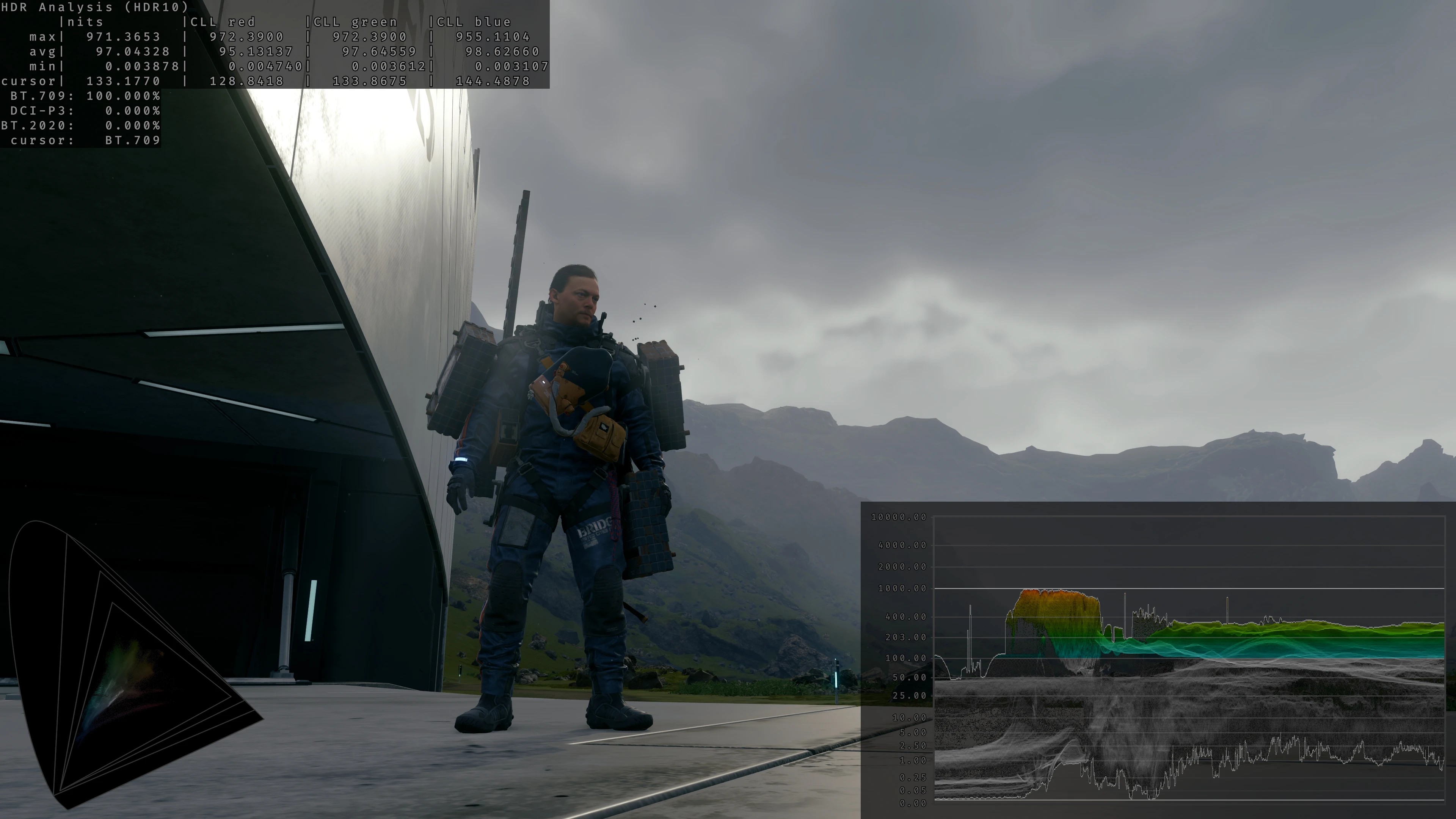
这款 RenoDX HDR 修复模组是专门针对《死亡搁浅 导演剪辑版》原生 HDR 实现层面的底层缺陷制作的优化补丁,面向所有拥有支持 HDR 的显示设备、希望获得符合开发者原始创作意图画面效果的玩家使用。游戏原版 HDR 输出存在多处底层逻辑错误,会导致亮部区域出现严重的色偏、高光过饱和、整体对比度与饱和度调校完全偏离 SDR 版本原本的画面风格,这款模组从渲染管线层面修正相关逻辑,让 HDR 模式下的山野景观、高空云层、人物肤色等元素的色彩表现回归自然状态。
功能要点
- 彻底修正原版 HDR 的逐通道色调映射错误,替换为基于亮度的色调映射逻辑,消除亮部区域常见的天空发黄、发绿等诡异色偏问题
- 重写 PQ 编码相关逻辑,实现正确的 SDR EOTF 模拟与标准 PQ 编码规则,补充原版缺失的白纸白亮度控制选项,让 HDR 画面的明暗层级表现更符合工业标准
- 提供三种不同的色调映射模式供玩家选择,分别为原版兼容模式、无额外色调映射模式、原版增强模式,适配不同玩家的画面调校偏好
- 开放峰值亮度、游戏画面亮度、UI 亮度三类独立控制选项,同时支持亮度缩放模式切换、伽马校正开关,以及曝光、高光、阴影、对比度、饱和度等十余项调色参数自定义
- 新增动态峰值尼特检测功能,可根据当前画面内容自动调整 HDR 输出的峰值亮度,避免静态亮度设置下部分场景出现的细节丢失问题
前置依赖
本模组属于 Reshade 附加组件,运行前必须预先安装带有附加组件支持功能的 Reshade 6.7.3 版本,安装过程中无需额外勾选任何自带着色器或其他附加组件。目前暂无站内对应的前置资源,相关资源可根据实际需求自行获取。
安装步骤
首先完成符合版本要求的 Reshade 环境部署,确认游戏根目录下已存在对应的 Reshade 运行文件。随后将模组压缩包内的 renodx-deathstrandingdc.addon64 文件复制到游戏根目录,也就是 Reshade 安装时存放核心文件的同一文件夹路径下。启动游戏后按下键盘 Home 按键唤出 Reshade 操作界面,切换到附加组件标签页,找到 Generic Depth 与 Effect Runtime Sync 两个选项并将其禁用,完成设置后重启游戏即可正常使用模组提供的全部调校功能,重启后可再次通过 Home 按键打开界面调整各项画面参数。如果压缩包内存在其他配置文件,实际安装细节以压缩包内附带的说明文档为准。
兼容性与注意事项
本模组采用底层注入方式挂载到游戏的 DirectX 渲染管线中,和 Optiscaler、SpecialK、PureDark FG 这类同样使用底层注入逻辑的外部 DLL 类工具存在兼容性冲突的可能。如果启动模组后画面出现异常,建议先卸载所有同类底层注入工具,仅保留本模组与 Reshade 环境后再进行测试,开发者无法保证与其他同类底层修改工具同时运行时的稳定性。本模组仅支持《死亡搁浅 导演剪辑版》,不适用于原版《死亡搁浅》非导演剪辑版本的游戏程序,强行安装可能会导致游戏画面渲染出错甚至无法正常启动。
常见问题
- 安装模组后唤不出 Reshade 界面怎么办?首先确认 Reshade 的版本号是否为 6.7.3 且开启了附加组件支持功能,同时检查
renodx-deathstrandingdc.addon64是否放在正确的游戏根目录路径下。 - 开启模组后 HDR 画面出现闪烁如何解决?回到 Reshade 附加组件设置页确认已经禁用
Generic Depth和Effect Runtime Sync选项,保存设置后重启游戏即可消除闪烁问题。 - 使用模组后部分场景色偏问题仍然存在?可尝试切换不同的色调映射模式,手动调整高光饱和度、对比度相关参数,匹配自己的 HDR 显示设备的硬件特性即可获得最优效果。

评论(0)