image_1781436779156_ovt0at

原文描述

Description 描述
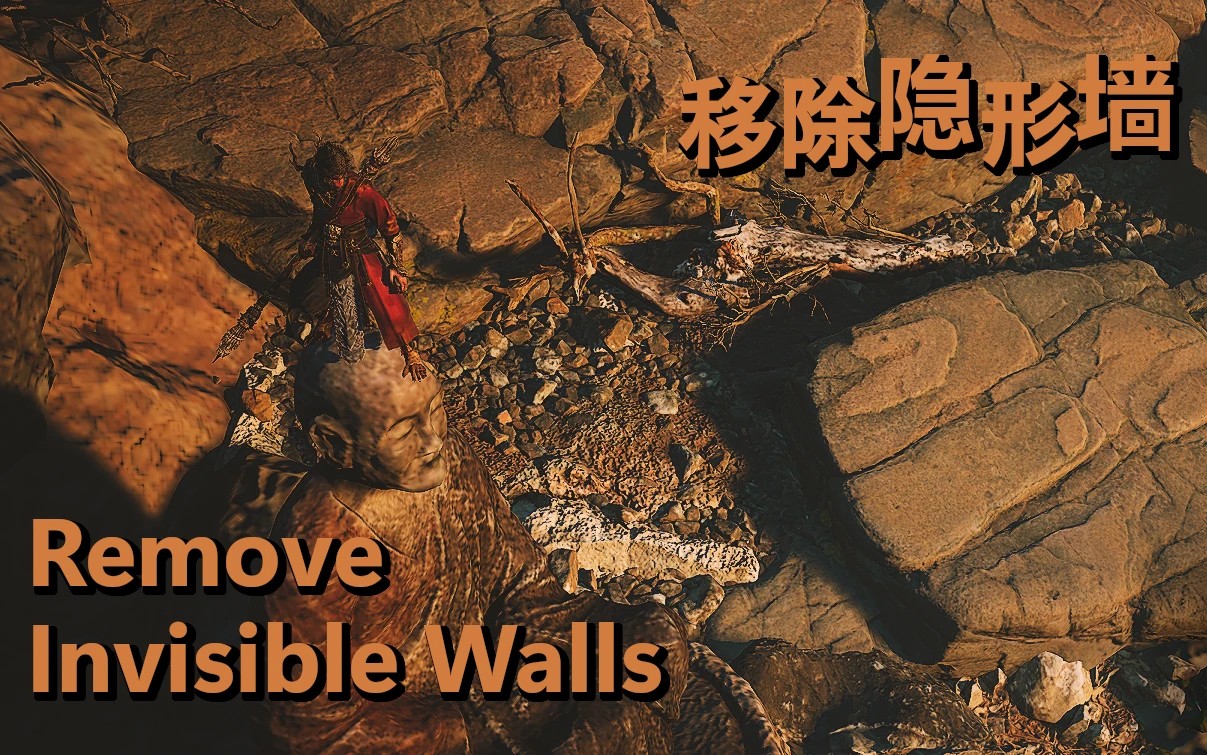
The purpose of this mod is to remove boundary collision that does not align with the world visuals. If you discover any missing collisions from in-bounds game areas or any other issues please post a Bug Report.
该模组的目的是消除与世界视觉效果不相符的边界碰撞。 如果您发现界内游戏区域有任何丢失的碰撞或任何其他问题,请发布错误报告。

UPDATE 0.3.1 — This version includes logic for an experimental feature which is intended to set collision for all ethereal (lacking collision) assets that become reachable when invisible boundary walls are removed. The current implementation introduces a significant bump in CPU load in certain areas of the game which is not the desired effect I am aiming for. In testing, this logic was capable of adding collision to Out-of-Bounds assets (such as Trees, Cliffs, Rocks and other surfaces) which the player would previously clip through leading to deadly or world-limit falls.
However, due to its currently aggressive CPU requirements it is disabled by default while I improve the resource demand the logic currently requires. It can still be enabled within the config.lua settings file however you milage may vary. Future updates of 0.3.x will be released as I make improvements to this feature.
更新 0.3.1
– 此版本包含实验功能的逻辑,该功能旨在为所有空灵(缺乏碰撞)资产设置碰撞,当不可见的边界墙被移除时,这些资产将变得可到达。 当前的实现在游戏的某些区域引入了 CPU 负载的显着增加,这不是我想要的效果。 在测试中,这种逻辑能够向越界资产(例如树木、悬崖、岩石和其他表面)添加碰撞,玩家之前会通过这些碰撞导致致命或世界限制的坠落。
但是,由于其当前对 CPU 的要求很高,因此默认情况下会禁用它,同时我会改进逻辑当前所需的资源需求。 它仍然可以在 config.lua 设置文件中启用,但情况可能会有所不同。 当我对此功能进行改进时,将发布 0.3.x 的未来更新。

Updating Mod Version 更新模组版本
When upgrading from an older version of this mod it is recommended to do the following:
当从该模组的旧版本升级时,建议执行以下操作:
Delete the RemoveInvisibleWalls folder under the ue4ss/Mods/ directory.
删除ue4ss/Mods/目录下的RemoveInvisibleWalls文件夹。Start the game and load into a level
开始游戏并加载到关卡中Exit the game
退出游戏Move the extracted contents of the latest RemoveInvisibleWalls.zip file into the ue4ss/Mods/ directory.
将最新的RemoveInvisibleWalls.zip 文件的提取内容移至ue4ss/Mods/ 目录中。

Features 特征
– Removal of restrictive game boundary elements.
删除限制性游戏边界元素。
– Landscape border visualization to help determine navigable paths.
景观边界可视化有助于确定可导航路径。
– Quick teleport to a previous location along your path.
快速传送到您路径上的先前位置。

Hotkeys 热键
– CTRL + F9 — Toggle landscape boundary visualizer
切换景观边界可视化工具
– CTRL + F10 — Toggle between default and reduced game borders
在默认和缩小游戏边框之间切换
– CTRL + F11 — [NEW] Toggle "AirWall" collision at the edge of cliffs or bridges. Also known as fall-buffering or fall prevention.
在悬崖或桥梁边缘切换“AirWall”碰撞。 也称为跌倒缓冲或跌倒预防。
– CTRL + F12 — Quick Teleport to recent location (useful if you get stuck in out-of-bounds area)
快速传送到最近的位置(如果你被困在出界区域,这很有用)

Installation 安装
Download and install RE-UE4SS
下载并安装 RE-UE4SS
** 如果您在执行第 1 步时遇到问题,请参阅页面底部的 GIF 以获取直观演练。
如果您在执行第 1 步时遇到问题,请参阅页面底部的 GIF 以获取直观演练。Click Manual Download from the Files tab towards the top of this page.
单击本页顶部“文件”选项卡中的“手动下载”。Click Slow Download .
单击慢速下载。Extract the zip file on your local machine.
将 zip 文件解压缩到本地计算机上。Copy the RemoveInvisibleWalls folder created in the prior step.
复制在上一步中创建的RemoveInvisibleWalls 文件夹。Paste the folder and its contents in the UE4SS Mods Directory
将文件夹及其内容粘贴到 UE4SS Mods 目录中
For Steam Install, the folder may be located at the following path:
对于 Steam 安装,该文件夹可能位于以下路径:
C:Program Files (x86)SteamsteamappscommonBlackMythWukongb1BinariesWin64ue4ssModsOpen the mods.txt file within the UE4SS Mod Directory and add the following line:
打开 UE4SS Mod 目录中的 mods.txt 文件并添加以下行:
RemoveInvisibleWalls : 1** This step is no longer required as of version 0.1.9
从版本 0.1.9 开始不再需要此步骤Run the game normally.
正常运行游戏

Submitting a Bug 提交错误
If you notice an issue with collision for an asset in-game:
如果您发现游戏中的资产存在碰撞问题:
Ensure you are using version 0.2.1 or later
确保您使用的是 0.2.1 或更高版本Read the Debug Tool Guide (EN) Article
阅读Debug Tool Guide (CN)文章Submit a bug post with your findings
提交包含您的发现的错误帖子

This mod is in constant evolution so please do your best to ensure you are running the latest version and have attempted to use the Debug Tools prior to submitting a Bug Post. Bug Posts which include details from the Debug Tool Functions will take priority over those without.
该模组正在不断发展,因此请尽力确保您运行的是最新版本,并在提交错误帖子之前尝试使用调试工具。 包含调试工具功能详细信息的错误帖子将优先于不包含调试工具功能的错误帖子。

UE4SS INSTALLATION VISUAL GUIDE
The guide below uses Steam to find the Wukong Game Directory. If you purchased the game via other means then you will need to find where your game install root folder is. This can be done as simply as searching for a folder named BlackMythWukong using windows file explorer or spotlight search. The folder you are looking for should contain a subfolder called b1.
下面的指南使用Steam找到Wukong游戏目录。 如果您通过其他方式购买了游戏,那么您将需要找到游戏安装根文件夹所在的位置。 这可以像使用 Windows 文件资源管理器或聚光灯搜索搜索名为 BlackMythWukong 的文件夹一样简单。 您正在查找的文件夹应包含一个名为 b1 的子文件夹。

版本更新内容

最新 0.3.1 2024-09-30 09:19
版本 0.3.1 - 新增边界外区域的实验性运行时碰撞。 - 新增在悬崖或铁轨边缘切换“空气墙”碰撞的功能(快捷键 CTRL+F11)。 - 更新第一章洞穴/森林的白名单/黑名单。 - 更新第二章老虎庙的白名单。 版本 0.2.2 - 更新第二章的白名单内容。 - 更新第三章的白名单内容。 - 修复玩家会从黄眉的袋子底部坠落的问题。 版本 0.2.1 - 新增可选调试辅助工具,方便用户提交错误报告时识别资源。 - 新增第六章的白名单内容。 版本 0.1.11 - 修复与“筋斗云自由用”模组的冲突。 - 缓存传送功能现在会忽略缓存距离范围内的先前位置。 - 新增第五章余烬之林的白名单内容。 版本 0.1.10 - 新增第四章蛛网谷、黄花观、紫云山的白名单内容。 - 更新缓存位置历史,仅保存玩家站在实地上的位置。 版本 0.1.9 - 实现通过 enable.txt 文件启用功能的机制。 - 修复碰撞效果与设置不同步的问题。 - 新增第三章新雷音寺区域的白名单元素。 - 新增第四章上下谷区域的白名单元素。 - 修复第三章浮塑下层区域的地面碰撞问题。 - 修复第三章戒律回廊神殿附近的桥梁碰撞问题。 版本 0.1.8 - 修复第三章隼仙灵附近悬索桥的碰撞问题。 - 进一步补充第三章宝塔领域的白名单内容。 版本 0.1.7 - 修复第三章赤龙对战场地周边的边界问题。 - 将第三章宝塔监狱第一层和第二层中遗漏的墙体碰撞加入白名单。 版本 0.1.6 - 为第一章新增更多黑名单元素。 - 修复带保护标签的物体在第三章之后的关卡中被移除的问题。 版本 0.1.5 - 撤回第三章中已加入白名单的部分元素。 - 修复塔林顶层BOSS明眼长老对战场地的地面问题。 - 进一步拉黑第二章中起到阻挡作用的元素。 - 按关卡拆分黑名单物体排除检查,降低CPU占用。 版本 0.1.4 - 修复使用地形边界切换功能时出现的地形显示异常问题。 - 新增第一章木崖桥的白名单碰撞元素,保留其碰撞效果。 - 撤回第二章中特别是流沙滑坡区域附近已加入白名单的部分元素。 版本 0.1.3 - 简化碰撞物体排除逻辑。 - 恢复部分被移除的碰撞元素(此前桥梁和楼梯存在部件缺失问题)。 版本 0.1.2 - 多项问题修复。 版本 0.1.1 - 初始版本。
声明:本站所有文章,如无特殊说明或标注,均为本站原创发布。任何个人或组织,在未征得本站同意时,禁止复制、盗用、采集、发布本站内容到任何网站、书籍等各类媒体平台。如若本站内容侵犯了原著者的合法权益,可联系我们进行处理。