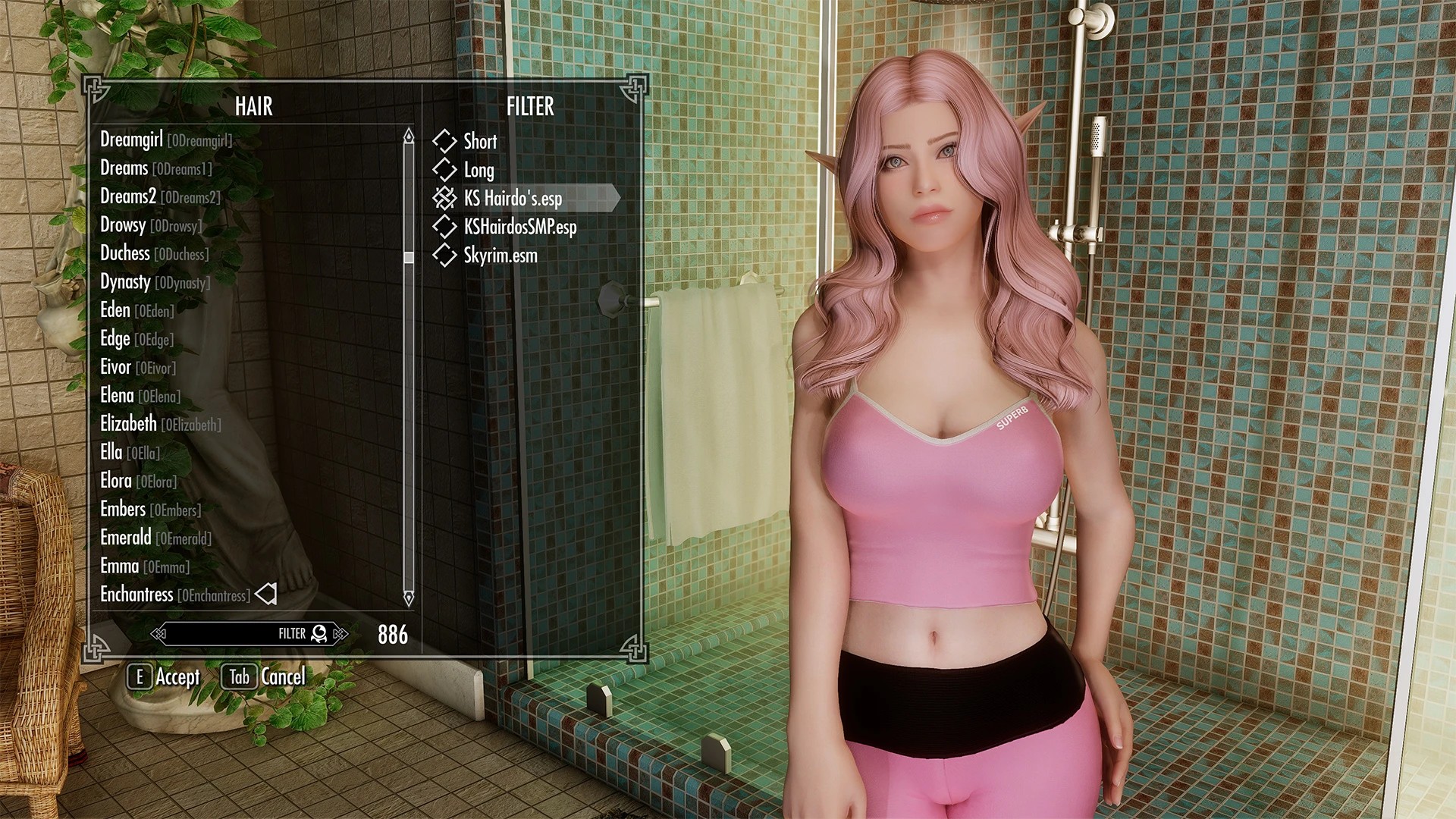
原文描述
Due to popular request, this is a version of RaceMenu that is feature equivalent to the alpha. All non-functional features have been disabled via setting. Features that do not work are denoted by "non-functional". There is no ETA on a feature-complete version. REQUIREMENTSThe Skyrim Script Extender (SKSE64), Version 2.0.7 (or newer matching the RaceMenu version) is REQUIRED to run RaceMenu SE. If you get mismatching version warnings, make sure to delete the following loose files from your data folder if they exist:
– CharGen.pex
– NiOverride.pex
– RaceMenu.pex
– RaceMenuBase.pex
– RaceMenuLoad.pex
– RaceMenuPlugin.pex Additionally, make sure that you installed SKSE and the SKSE base script files correctly. Non-functional in RaceMenu SSE For ECE to RaceMenu migration see:
– CharGen Export PURPOSE The RaceMenu was redesigned with the intention of using SKSE to allow for more in-depth customization of your character. This mod does not fix the problems with the internal class to this menu; it merely redesigns it and adds more features. Please ensure that you don't have problems opening the ORIGINAL RaceMenu before blaming this mod. FEATURES RaceMenu.esp
– Numeric display for all sliders
– Categorizes all the vanilla options to the SkyUI look
– Search filter by name (Same as SkyUI)
– Color ANY tint, including hair with an AARRGGBB value
– Loads/Saves settings when re-opening the menu
– Light On/Off (Spawns a white light directly infront of your character)
– Zoom distances adjusted to be closer to the face when In and slightly further when out
– Basic plugin interface
– Controller support
– Works with any race, including custom races
– Doesn't modify any vanilla assets (Unlike my Extended Slider Colors mod)
– Multi-warpaint support
– Warpaint texture hotswapping (Custom warpaint)
– Display racial skill bonuses
– Save/Load presets to and from windows clipboard
– Supports body/hand/feet/face overlays
– Save/Load color
– Change overlay glow color
– Change overlay glow strength
– Export head mesh
– Save/Load preset to and from a slot file (Requires CharGen v2.0.0 or greater and replaces clipboard save/load)
– Show HeadPart name and source mod (Requires CharGen v2.1.2 or greater)
– Camera move up/down/left/right zoom in/out RaceMenuPlugin.esp (Optional)
– Adjust player height
– Adjust player bicep size
– Adjust player glute size (Only works for meshes that support skeletal scaling e.g. TBBP body meshes)
– Adjust player breast size (Only works for meshes that support skeletal scaling e.g. BBP body meshes)
– Adjust player breast curve size (Only works for meshes that support skeletal scaling e.g. TBBP body meshes) BodyGen randomize There is now new syntax to the previous feature to allow randomization of all actors of a particular gender. To setup an initial BodyGen file you need to create two ini files at: meshes/actors/character/BodyGenData/%MOD_FILENAME_WITH_EXT%/ morphs.ini templates.ini The templates file outlines BodyMorphs by name Here is a sample: Sevenbase=7B High@1.0 | 7B Bombshell High@1.0 | 7B Natural High@1.0 | 7B Cleavage High@1.0 | 7B Bcup High@1.0 Breasts=BreastSH@1.0 | BreastSSH@2.0, Breast@1.0, BreastCleavage@0.1:1.0, BreastGravity@0.1:1.0 The morphs file defines what morphs should be available to what ActorBases, here is an example: Skyrim.esm|F62F0=Sevenbase,Breasts For the new All feature, this would say: All|Female=Sevenbase,Breasts Make sure you have empty new lines at the end of your ini files. If you have explicit overrides in other mods they will overwrite by load order, so if you have all in an earlier mod, then have one explicit in a later mod, the ActorBase will use the later setting. Equippable Transforms What are Equippable Transforms? They are essentially additional data that can be attached onto Armor that will apply an NiTransform internally to the skeleton. What would you use this for? Replacing High Heels of course! The transform is also done natively so it's near instant application. How do you use it? Simple, add an NiStringExtraData named "SDTA" without quotes (Skeleton Data) to your NiTriShape or NiTriStrips of the armor you want to apply it to (You may need to apply to both _0 and _1) The "String Data" will be a JSON formatted string, here is a sample: [ {"name":"NPC L Breast","scale":2.0,"pos":[0,0,0],"rot":[0,0,0]}, {"name":"NPC R Breast","scale":2.0,"pos":[0,0,0],"rot":[0,0,0]} ] The "name" field is the name of the node you are transforming The "pos" field is a relative translation of the node you are transforming The "rot" field is a rotation in degress in euler angles (heading, attitude, bank) Here is a sample for replacing High Heels [{"name":"NPC","pos":[0, 0, 5.0]}] You may need to tweak the units as I just eyeballed it for the particular boots I was using. This runs off the existing Transform framework that NiOverride provides, so any modifications to particular nodes will stack with these, you can only have one internal equipped node transform (i.e. two pieces of armor cant modify the same node, overwriting will happen and the behavior will most likely be last written or undefined). Sculpt Mode Head Import This feature will import the geometry of a nif file that is formatted for NPCs (You either exported it, or you copied an NPC's into the directory) Sculpt This feature is complicated, the tools you have available are Inflate, Deflate, Smooth, Move, and Mask. Rotating Drag with right mouse click Panning Hold the Secondary button and drag with right mouse click to pan. Inflate/Deflate Moves the hit vertices out/in based on an average of adjacent face normals Smooth Moves the hit vertices to an average position of all adjacent vertices, CAUTION do not use near openings such as the mouth Move Moves vertices in the direction you move the cursor, orthogonal to the view plane Mask Excludes vertices from being altered, including imported geometry, if you are importing a head with a different neck seam you should mask add around the neck area before importing History History will store all previous vertex actions including Clear Sculpt, Import Geometry, and all brush actions Head Parts This is the window for changing the wireframe preview including locking the mesh (so it can't be edited) making the mesh visible, or changing the wireframe color Clear Sculpt This will wipe all sculpting data from all ACTIVE parts (Editable must be checked) File based Presets Presets are now saved to explicit file names and have changed format to json, as such will be saved as .jslot files, if you are replacing an existing slot file, refrain from replacing a .slot file, clicking on a selected file when saving will overwrite the selected file, and the file extension will be for binary but will try to load the json and fail. Binary slot files can still be loaded for legacy purposes, however this format is no longer saved by CharGen. There will not be, nor will ever be controller support for the Sculpt feature, sorry. CHANGE LOG See Changes section High-Resolution Warpaint An INI setting has been added to SKSE to allow for higher resolution warpaint to be applied to your character. The default resolution is 256, this is a terrible resolution if you want to do some really fancy warpaints.
– Locate your Data directory
– Create SKSE folder if it is not already there
– Create SKSE.ini if it is not already there
– Add "[Display]" category
– Add "iTintTextureResolution=2048" Your Data/SKSE/SKSE.ini should look something like this: [Display] iTintTextureResolution=2048 Putting a higher resolution should be possible but I have only tested it at 2048. Note: This may cause low resolution textures to look worse due to upscaling, hopefully this will encourage high-resolution replacements. Keymapping Keyboard:
– Choose Color/Accept
– Activate (Default E)
– Done
– Ready Weapon (Default R)
– Light
– Sneak (Default Ctrl)
– Zoom
– Sprint (Default Shift)
– Search
– Jump (Default Spacebar)
– Choose Texture
– Wait (Default T)
– Load Preset
– Quickload
– Save Preset
– Quicksave
– Export Head
– Shout (Default Z) Controller:
– Choose Color/Accept
– Activate (Default A)
– Done
– Ready Weapon (Default X)
– Light
– Wait (Default Back)
– Zoom
– Sprint (Default RB)
– Search
– None
– Choose Texture
– Jump (Default Y)
– Load Preset
– Left Stick
– Save Preset
– Right Stick
– Export Head
– Shout (Default LB)
– Change Sub Category
– Left/Right Trigger FAQ Q. How do I change the number of overlays available? A. Open Data/SKSE/Plugins/NiOverride.ini in any text editor and change the values here. Q. Do I need to install CharGen Extension? A. Not for versions 2.7 and up, CharGen Extension is completely included, you should uninstall it if you had it prior to installing 2.7 and up. Q. I see dollar signs everywhere and many features appear to be missing what do I do? A. Install SKSE, or if you have installed it, run your game using skse_loader.exe as you should be. Q. Is this compatible with ECE? A. Partially, only a few features will work, generally I do not recommend using them together as presets will not work. Q. How do I get more Face/Body/Hand/Feet Paint? A. Open Data/SKSE/Plugins/NiOverride.ini in a text editor, you will see a section for the amount of paints you can have per type, you can change this up to 128, but it is highly recommended you only set what you intend to use as too many can result in significant performance losses. Making a plugin This short tutorial assumes you have SKSE 1.6.6 (or greater) correctly installed, already have basic knowledge in compiling scripts, using the Creation Kit, can solve compiling errors on your own, and assumes you have already downloaded the modders package.
– Extract the modders package to your Data folder
– Open Creation Kit (You do not need to load Skyrim.esm)
– Create new quest
– Give quest a unique ID
– Press Quest Aliases tab
– Right click the list, New Reference Alias
– Name the alias Player
– Tick Specific Reference
– Press Select Force Reference
– Select Cell (any), Ref PlayerRef ('Player') click OK
– Press the Add button in the Scripts group
– Type RaceMenuLoad into the filter and click OK
– Press OK in the Reference Alias window
– Go to the scripts tab and Add
– Click [New Script], give the script a name
– Open the script in your editor of choice and change extends Quest to extends RaceMenuBase
– Copy contents of PluginTemplate.psc to your new script
– Read the comments inside of the template
– Click OK in the Quest window
– Save your plugin
– Add your warpaints/sliders to your script
– Compile your script To package and distribute your plugin you only need to include: Data/Scripts/YourPlugin.pex Data/YourPlugin.esp COMPATIBILITY Enhanced Character Edit is not directly compatible. RaceMenu has compatibility code to accommodate some of the extra facial morphs, install ECE first, then install RaceMenu to take advantage of this. There will be a CharGen verison of ECE sliders soon. Extended Slider Colors (My previous mod) is not incompatible, but it is highly recommended you uninstall it as it is no longer necessary. LOAD ORDER Irrelevant, put it anywhere you want it won't make a difference. INSTALLATION Automatic Download with NMM
– Click the Download with manager button on top of the file.
– RaceMenu will appear in in NMM's Mods list once it's downloaded. Double-click the RaceMenu entry to Activate it. OR Manual Download with NMM
– Start NMM and click on Mods.
– In the left icon bar, click on Add Mod From File and select the downloaded archive file.
– RaceMenu will now appear in the list. Double-click to Activate it. OR Manual Installation
– Locate the Data/ folder in your Skyrim installation directory. Typically it's found at Program Files/Steam/steamapps/common/skyrim/Data/.
– Extract the contents of the downloaded archive file to your Data/ folder.
– In the Skyrim Launcher, select Data Files and enable RaceMenu.esp. SPECIAL EDITION KNOWN ISSUES 0.2.0 to current Body morphs seem to lag behind a little bit when scrolling fast through the options, this probably won't be fixed and is a minor inconvenience. KNOWN ISSUES 2.0.0 to current Body/Hand/Feet paint may appear to be rendered overtop of some effects, this is a known issue. The reason this happens is due to the AlphaProperty flags on the overlay template meshes, changing these to the other set of flags results in overlays occasionally partially rendering on the skin. The right bicep scale increases strangely. This is a problem with the skeleton and associated mesh, it cannot be fixed on my part and probably won't be fixed by anyone else either. The bug has propagated to pretty much every armor ever made from the base bodies so it's probably far too late to be ever fixed. TROUBLESHOOTING If the last 3 categories are there but you only have "default" to choose from when you change the body texture: You are missing the Overlays Plugin, this plugin contains a number of textures by various authors and are not included in the main mod (simply because they are large and I don't want to be uploading a few MB to update the mod every time; my upload is awful). If your problem is none of the above you probably have far bigger issues like not even running SKSE with the loader (or not as admin). Or your just simply pushing the game engine way too hard (too many mods, too many high-res textures, too much going on etc). The limitations of the game engine are independent of your PC. If your PC is great save yourself the trouble of typing it out as it's probably irrelevant. Please make sure your game does not crash opening the original RaceMenu before posting your issue. This mod does not fix the internal class to this menu, it merely redesigns it and adds more features. If your head appears to be so small you can't see it try cleansaving and installing the latest version. If your game crashes when you color too many warpaints, this is normal. Currently the game has some sort of hard limit on the number of tints you can have at one time and is currently being investigated. If your zoom or light toggle do not work this is because there is currently a glitch in SKSE that does not hook the key input system when you start a new game. You need to save your game and reload then showracemenu in the console to fix this. This is corrected for the next SKSE version. If neither hair color nor tint colors do anything this means that your SKSE scripts are not up to date. Note: This still requires you actually have and run SKSE. If you are experiencing freezing when opening the RaceMenu, this is due to your game loading many assets all at once and needs to queue drive requests, wait patiently for it to load. If it takes longer than 3 minutes than there is likely an internal issue usually caused by having too many hair mods. This same freezing would happen regardless of having my mod. If you are experiencing crashing on startup, you likely have a problem with another mod, please take those complaints elsewhere as this mod should not ever conflict. If there is anything off with the translation and you would like to help correct it, see the Google Spreadsheet for the RaceMenu.
种族菜单(RaceMenu)
本资源登录后免费下载
想要一键安装模组吗? 请下载模组管理器,让模组安装和管理变得更简单。
下载模组管理器
基础信息
授权
CC BY-NC-SA 4.0
- CC BY-NC-ND 4.0 — 署名、非商业使用、禁止演绎:用户可免费下载使用,需标注原作者,禁止商用、修改、二次上传
- CC BY-NC-SA 4.0 — 署名、非商业使用、相同方式共享:用户可免费下载、修改、二次分发,需标注原作者,禁止商用,二次创作需沿用本协议
- CC BY-SA 4.0 — 署名、相同方式共享:用户可免费下载、修改、二次分发(含商用),需标注原作者,二次创作需沿用本协议
历史版本0
暂无历史版本
最新
0.4.20.0
2026-04-21 00:40
Version 0.4.20.0 - Added functionality from Patreon version: Part selection filter and Tags. - Added some more C++ API functions, see IPluginInterface - Added GOG version, untested Version 0.4.19.16 - Support for Game Version 1.6.1170 Version 0.4.19.15 - Support for Game Version 1.6.1130 - Switched logging to use spdlog - Exposed programmer interface for Overlays - Exposed programmer interface for Presets Version 0.4.19.14 - Fixed crash when using console command "skee help" (GOG 0.4.19.13 already has this fix) Version 0.4.19.13 - Added support for game version 1.6.640 - Added support for GOG game version 1.6.659 - Improved BodyMorph speed with 2 new skee64.ini options which are on by default: bBodyMorphGPUCopy and bBodyMorphRebind Version 0.4.19.11 - Added compatibility mode to skee.ini - Optionally allows registering for interface exchange early "bEnableEarlyRegistration" OFF by default, use this for OBODY Version 0.4.19.10 - Fixed memory leak related to dyes and body morphing - Moved interface exchange to occur during post-load, query at post-post-load Version 0.4.16 - Fixed crash introduced in 0.4.15 affecting a wide variety of areas, essentially any cell containing actors who don't have Character Creation data, e.g. Draugr Version 0.4.15 - Fixed crash when creating custom head part sliders - Fixed hair color sync (wigs) to try other sources (template parent, race, etc) if the NPC does not have one assigned Version 0.4.14 - Separated dlls from SE and VR so that mod managers will stop complaining about intentional incompatibility Version 0.4.13 - Fixed rare crash loading a save with corrupted XPMSE co-save data - Experimental VR support (you may notice skeevr.dll errors in SkyrimSE, or skee64.dll errors in SkyrimVR, this is expected, it will load the appropriate module for the game) - Moved loading of facial morphs to slightly later to fix issues where morphs may not be applied correctly on game load - Added "skee reload tints" command, this will reload tints from XML files - Added "skee erase bodymorph/transforms/sculpt/overlays" will erase data from the console reference actor - Added "skee erase bodymorph-cache" will clear the internal cache of body TRI files - Added "skee preset-save PATH" will save the player as a preset to "Data/SKSE/Plugins/CharGen/Exported/PATH.jslot" - Added "skee preset-load PATH" will load a saved preset onto the console reference actor (yes, it can be applied onto NPCs) - Added "skee dump bodymorph" will dump all morphs applied to the console ref to the console - Added "skee dump transforms" will dump all node transforms to the console ref to the console - Added "skee dump itemdata" will dump all unique item bound data to console and log (for dyes) Version 0.4.12 - Fixed wireframe rendering bug with ENB - Added support to remap dye slots in DyeManager - Added support for future method of acquiring space for SKSE trampolines - Added console function enhancement to dump dyed textures to disk "player.skee dump tints" - Improved wireframe resolution, should no longer be blurry - Fixed saving/loading complexion for presets - Added "multiply" blend mode to dyes, "grayscale" blendmodes color now acts as multiply Version 0.4.11 - Improved wireframe rendering in sculpting - Fixed sculpting mask functionality - Fixed sculpting hit location after iterative edits - Added recalculation of Normals and Tangents on armor with said properties utilized - Added support for game version 1.5.97 (Not compatible with previous versions) - Fixed mesh attachment hook, old one was ported from LE poorly and just happened to work Version 0.4.10 - Fixed random crash when using Skin Overrides - Fixes crash when entering Sculpt tab using non-BSDynamicTriShape meshes - Fixes precache disable function to not attempt caching Hair styles when changing gender Version 0.4.9 - Fixed bug with DyeManager choosing wrong mip level when merging textures - Restored functionality to custom HeadPart sliders - Restored functionality to bAllowAllMorphs - Added functionality to automatically tint equipped items with the Hair Shader includes settings (bEnableTintHairSlot=1, uTintHairSlot=2050) - Added additional options, though not recommended (bAllowAnyRacePart=0, bAlloyAnyGenderPart=0) - BodyMorph keys saved to non-actors will no longer be loaded, still don't know how or why this happened but it might clean some co-save bloat. - Supports both 1.5.80 and 1.5.73, this is only because the two versions are binary compatible. Version 0.4.8 - Fixed more crash related issues - Inventory models can now reflect dye changes (must map dyes to gnd model path) - Added bEnableTintInventory option to enable/disable inventory tint hook - Added bDrawBrushPoint and bDrawBrushRadius to enable/disable the sculpting indicators - Only items eligible to be dyed are shown in DyeManager now Version 0.4.7 - Fixed crash when loading saves containing multiple dyed items applicable to the same slot mask - Dyes now require the index to actually exist on the base XML before an override will be applied (prevents override bleeding to other shapes) - Fixed dye bug where armors with no specified first person mesh would not receive dyes (as the game apparently defaults to third person mesh) - Dye XML files targeting the same nif and geometry will now merge by default unless specifying the "override" attribute - Dye XML files are now loaded consistent alphabetical order of the full file path (instead of whatever the OS decided the file order is, important for overriding and merge order) - Sculpting and Dye shaders can now fallback to precompiled/included shader files if no D3DCompiler is found on the system - Fixed some memory leaks in Sculpting when failures occur (improper cleanup) - Added sculpt mesh offset to account for non-symmetry when mirroring, default x=0.11, can be tuned via ini Version 0.4.6 - Fixed combat freeze/crash using shock related spells Version 0.4.5 - Fixed texture memory leak when using DyeManager outside of the menu - Cleaned up internal code near armor node attachment - Exposed ActorUpdateManager interface to inter-plugin communication (which can allow other plugins to utilize the node attach hook) - Added Skin and Hair Sync function to DyeManager specifying "hair" or "skin" instead of a hex color will utilize the actor's assigned colors and sync when being change in the menu (live-sync is player only but still works on NPCs) - Added bEnableTintSync to skee64.ini (To disable the live-sync hook) - Fixed texture memory leak when using overlays (less impact than DyeManager leak) - Fixed SKEE mod load order to reflect plugin load order as opposed to ESP order then ESL order - Deleted volatile versions from files to stop people from trying to rollback to worse stability - Added teeth in/out slider - Added teeth up/down slider - Fixed combat freeze/crash using shock related spells Version 0.4.4 - Changed face overlay hook (may fix crashes) - Reduced co-save size for BodyMorphs - Added bExportSkinToBone setting, wipes skin transforms when exporting heads Version 0.4.3 - Face Overlays operational - Improved DyeManager XML usability (some params now optional, others accept text or number) - Fixed crash with malformed Dye XML Version 0.4.2 - Fixes preset load crash - Fixes crash when re-parenting nodes Version 0.4.1 - Fixes initial 0.4.0 upload crash - Fixes serialization bug with Dyes - Fixes default alpha value bug with Dyed armor Version 0.4.0 - Restored functionality to TintMask interface by rewriting the whole API, DyeManager is now supported Version 0.3.3 - Disabled "bEnableFaceOverlays" in skee.ini by default. Version 0.3.2 - Fixed head export occasionally missing the texture - Lowered DirectX device requirement, should work with older DirectX runtimes installed - Fixed BodyMorph application bug when using the "All" option - Sculpting now enabled by default (If using ENB you must redownload the latest build) Version 0.3.1 - Fixed some sculpting crashes not related to ENB (Yes ENB still crashes) Version 0.3.0 - Fixed some random crashes - Sculpt now functions but is disabled via config due to incompatibility with ENB (Crash) - Restored Import/Export head to Sculpting - Added hit indicators to sculpting - Sculpting now includes shaders in archive - Sculpting now displays tints in the preview window Version 0.2.12 - Fixes internal engine updates using SKSE, slider changes should now appropriately appear Version 0.2.11 - Fixed bugged version check when loading extended morphs - Added boiler plate code for sculpting (not hooked up) Version 0.2.10 - Fixes broken extended sliders - Fixes crash when loading saves created prior to version 0.2.8 Version 0.2.9 - Adds missing script files - Fixed wrong SKSE64 version check Version 0.2.8 - Updated to 1.5.62 - Fixed random crashes with BodyGen - Improved string pool usage in co-save - Added dynamic resolution scaling to menu Version 0.2.6 - Fixed crash caused by bad address from 1.5.50 (may have resulted in load crash or slider crash) Version 0.2.5 - Added support for Game Version 1.5.50 Version 0.2.4 - - Improved morphing performance - Fixed a memory leak when updating models for morphing - Fixed morphs not visually updating when no morph key was set (or all morphs were 0) - Fixed slider info showing wrong forms with ESLs in the load order (hair, eye colors etc.) - Added Skyrim.esm master to the plugins (RaceMenu(Plugin).esp) to keep the in-game mod manager from disabling them - Added support for UV texture coordinate morphing, requires new BodySlide version - Added a new function SetSliderParametersEx to the RaceMenuBase script that allows changing individual parameters Version 0.2.3 - Reduced script lag when moving sliders too quickly (and in extreme cases fixed crashes) by polling with a slower rate Version 0.2.2 - Fixed hook introduced in 0.2.1 that would cause heads to accidentally always be forcefully generated (resulting in the black face bug) Version 0.2.1 - Fixes overlay duplication bug - Fixes crash with BodyMorph and ENB Version 0.2.0 - Implemented Body, Hands, and Feet Overlays - Implemented BodyMorph - Implemented Precache Disable functionality
声明:本站所有文章,如无特殊说明或标注,均为本站原创发布。任何个人或组织,在未征得本站同意时,禁止复制、盗用、采集、发布本站内容到任何网站、书籍等各类媒体平台。如若本站内容侵犯了原著者的合法权益,可联系我们进行处理。
-
提示下载完但解压或打开不了?最常见的情况是下载不完整: 可对比下载完压缩包的与网盘上的容量,若小于网盘提示的容量则是这个原因。这是浏览器下载的bug,建议用百度网盘软件或迅雷下载。 若排除这种情况,可在对应资源底部留言,或联络我们。
-
付款后无法显示下载地址或者无法查看内容?如果您已经成功付款但是网站没有弹出成功提示,请联系站长提供付款信息为您处理
-
购买该资源后,可以退款吗?游戏MOD资源属于虚拟商品,具有可复制性,可传播性,一旦授予,不接受任何形式的退款、换货要求。请您在购买获取之前确认好 是您所需要的资源


评论(0)